


Software & Technology
OpenBOM: Modern Cloud PDM for SolidWorks Users
From SolidWorks data to accurate, purchase-ready BOMs.
OpenBOM is a cloud-based Product Data Management (PDM) and BOM management platform that helps SolidWorks manufacturers replace spreadsheet-driven BOMs with a single, controlled source of product data. It connects engineering, purchasing and production, so teams manage BOMs, revisions and design changes in one place and move from CAD to purchasing with confidence. As an OpenBOM partner, SolidCAD helps Canadian manufacturers put the right product data workflows in place.


What is OpenBOM?
OpenBOM is a cloud-native workspace for product data management, BOM management, purchasing and supplier collaboration. It connects directly to CAD tools like SolidWorks, turns product structures into multi-level BOMs, and keeps CAD files, revisions and BOMs available to engineering and purchasing teams in real time.
Unlike traditional file-based PDM, OpenBOM extends product data control beyond CAD files to costs, suppliers and purchase orders, giving manufacturers one source of truth from design to production.
Why do spreadsheet-based BOMs create risk for manufacturers?
Spreadsheets were never designed to control product data. Once a BOM leaves SolidWorks and lands in Excel, it becomes a disconnected copy that has to be updated by hand, and every manual update is a chance for error. As product information moves from engineering to purchasing and production:
- BOMs become difficult to control across teams and versions
- Design changes are not communicated consistently
- Purchasing ends up working from outdated information
- Manual updates create unnecessary risk and rework
- Teams lose visibility into costs, suppliers and product revisions
The result is delayed purchasing, production risk, increased rework and reduced confidence in product data.

Is BOM management really a PDM challenge?
Yes. Inaccurate BOMs, missed revisions and outdated purchasing data are symptoms of a missing Product Data Management (PDM) process, not just spreadsheet problems. A modern PDM approach controls product data, BOM structures, revisions and design changes through one consistent process, so every team works from the same, current information.
OpenBOM delivers that control and visibility without the cost and complexity of implementing a full enterprise PLM platform.
How does OpenBOM work with SolidWorks?
OpenBOM connects to SolidWorks through an integrated add-in, so engineers can create and update BOMs directly from their assemblies and parts, without exporting to Excel.
- Integrated SolidWorks add-in for assemblies and parts
- Multi-level indented BOMs with high-resolution thumbnails
- Support for complex designs, including configurations, weldments, sheet metal and piping
- Custom properties and part numbering that follow your existing SolidWorks conventions
- Bi-directional data exchange to send property updates back to SolidWorks
- Automatic derivative files (PDF, STEP, DWG, DXF) linked directly in the BOM
- SOLIDWORKS PDM Professional integration for teams that already manage CAD files in SOLIDWORKS PDM

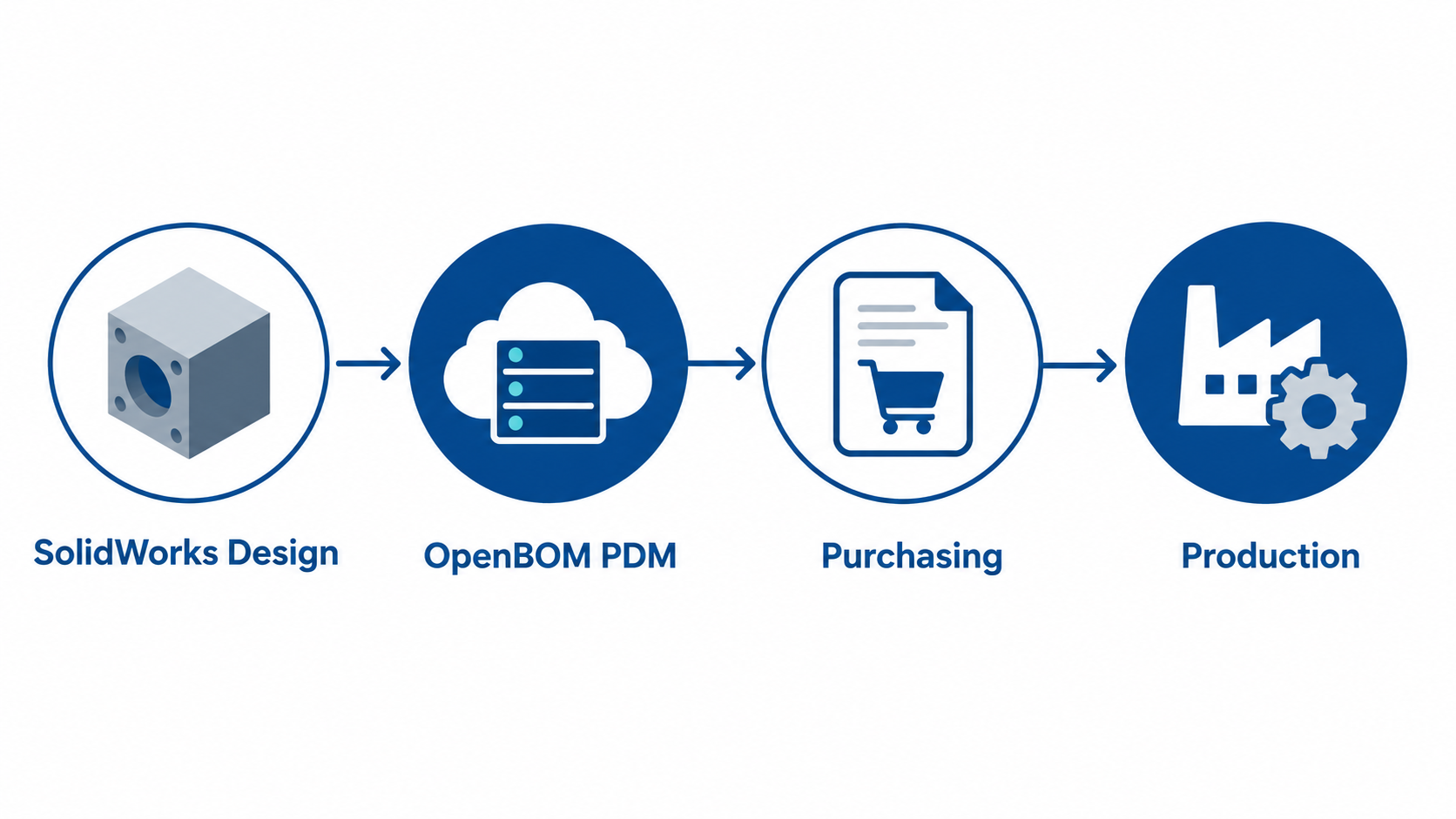
How does OpenBOM connect engineering, purchasing and production?
OpenBOM turns engineering BOMs into purchase-ready information, so purchasing and production work from the same controlled data as engineering.
- Revision and change control: track revisions and make design changes visible to every team
- Planning BOMs and purchase orders: create planning BOMs and purchase orders from the engineering BOM in a single click
- Cost and supplier visibility: identify vendors, build vendor lists and track costs early
- Supplier and contract manufacturer collaboration: share controlled product data securely in the cloud
- ERP integration: keep product data connected to your business systems
What are the business benefits of OpenBOM?
- Improved BOM accuracy: one controlled source of product data replaces disconnected spreadsheets
- Better design change visibility: everyone sees the current revision and what changed
- Reduced purchasing errors: purchasing orders from current, approved BOMs
- Faster engineering-to-procurement handoffs: no more manual BOM preparation for purchasing
- Greater supplier and cost visibility: costs and vendors are tracked alongside the BOM
- Reduced operational risk: fewer surprises between design, purchasing and production

Spreadsheets vs. OpenBOM vs. enterprise PLM: what’s the difference?
OpenBOM sits between spreadsheets and enterprise PLM: it gives growing manufacturers real product data control without a long, complex implementation.
| Excel spreadsheets | OpenBOM (cloud PDM) | Enterprise PLM | |
|---|---|---|---|
| Single source of product data | No, multiple copies | Yes, in the cloud | Yes |
| Revision and change control | Manual | Built in | Extensive |
| SolidWorks integration | Manual export | Integrated add-in | Usually available |
| Purchasing and costing | Manual | Planning BOMs, POs, vendors, costs | Often through ERP |
| Implementation effort | None, but high ongoing effort | Fast, cloud-based | Long and complex |
| Best for | Very small, simple products | SolidWorks manufacturers that need control without enterprise PLM | Large enterprises with complex processes |
Who is OpenBOM for?
OpenBOM is a strong fit for SolidWorks-based manufacturers, typically with 30 to 300 employees, that manage BOMs in Excel or where engineering and purchasing work from disconnected information. It helps:
- Engineering teams: mechanical and product design engineers, CAD managers and engineering managers
- Purchasing teams: procurement and purchasing managers
- Operations leaders: manufacturing managers, operations leaders and VPs of manufacturing
Common industries include industrial machinery, consumer products, automotive and supply chain, assembly line automation and aerospace and defense.


Book a 30-minute BOM Workflow Review
Not sure where your BOM process breaks down? In a free 30-minute BOM Workflow Review, a SolidCAD specialist will:
- Map how product data moves from SolidWorks to purchasing and production
- Identify manual handoffs and process risks
- Evaluate your PDM and BOM management challenges
- Recommend practical opportunities to improve your workflow
It is a consultative review of your process, not a sales demo.
Why work with SolidCAD for OpenBOM?
SolidCAD, a Symetri company, helps Canadian manufacturers connect design, product data and business processes. Beyond the software, our team supports you with:
- Product Lifecycle Management (PLM) consulting to design scalable product data processes
- Data management consulting to clean up, structure and migrate your product data
- Training so engineering and purchasing teams adopt new workflows quickly
- Technical support from a Canada-based team, in English and French

FAQ
What is OpenBOM?
OpenBOM is a cloud-based Product Data Management (PDM) and BOM management platform. It connects to CAD tools like SolidWorks and helps manufacturers manage BOMs, revisions, design changes, costs, suppliers and purchase orders in one controlled source of product data.
Does OpenBOM work with SolidWorks?
Yes. OpenBOM provides an integrated SolidWorks add-in that creates multi-level BOMs from assemblies and parts, supports configurations and custom properties, syncs property updates back to SolidWorks, and integrates with SOLIDWORKS PDM Professional.
Is OpenBOM a PDM or a PLM system?
OpenBOM combines PDM, BOM management and PLM capabilities in one cloud platform. For many SolidWorks manufacturers, it provides the product data control and visibility they need without implementing a full enterprise PLM system.
Can OpenBOM replace Excel spreadsheets for BOM management?
Yes. OpenBOM replaces disconnected BOM spreadsheets with a single, controlled source of product data, so engineering, purchasing and production always work from the current BOM and revision.
Who should use OpenBOM?
OpenBOM is a strong fit for SolidWorks-based manufacturers, typically with 30 to 300 employees, whose engineering and purchasing teams rely on spreadsheets or disconnected systems to manage BOMs.
How do I get started with OpenBOM?
Book a 30-minute BOM Workflow Review with SolidCAD to map your current process and identify improvement opportunities, or start a free OpenBOM trial.