


Software & Technology
Bluebeam Max
— Supercharge Your Bluebeam Revu
Accelerate drawing reviews, automate repetitive work, and bridge the gap between PDF and BIM. Bluebeam Max is now available as a premium subscription plan for Bluebeam Revu.

What is Bluebeam Max?
Bluebeam Max is a premium subscription plan that brings AI-powered capabilities to the Revu workflows your teams already rely on — helping reviewers move faster, reduce manual effort, and improve confidence when drawings change.
Autodesk has “connected tools.” Max is the connected capability layer for Revu — built to speed up review, catch issues earlier, and reduce redraw-and-repeat work across revisions.
Bluebeam Max is now available. SolidCAD can help your team get started, set up the right workflows, and get the most out of Max from day one.
Explore Bluebeam Max
Autodesk has “connected tools.” Max is the connected capability layer for Revu—built to speed up review, catch issues earlier, and reduce redraw-and-repeat work across revisions.
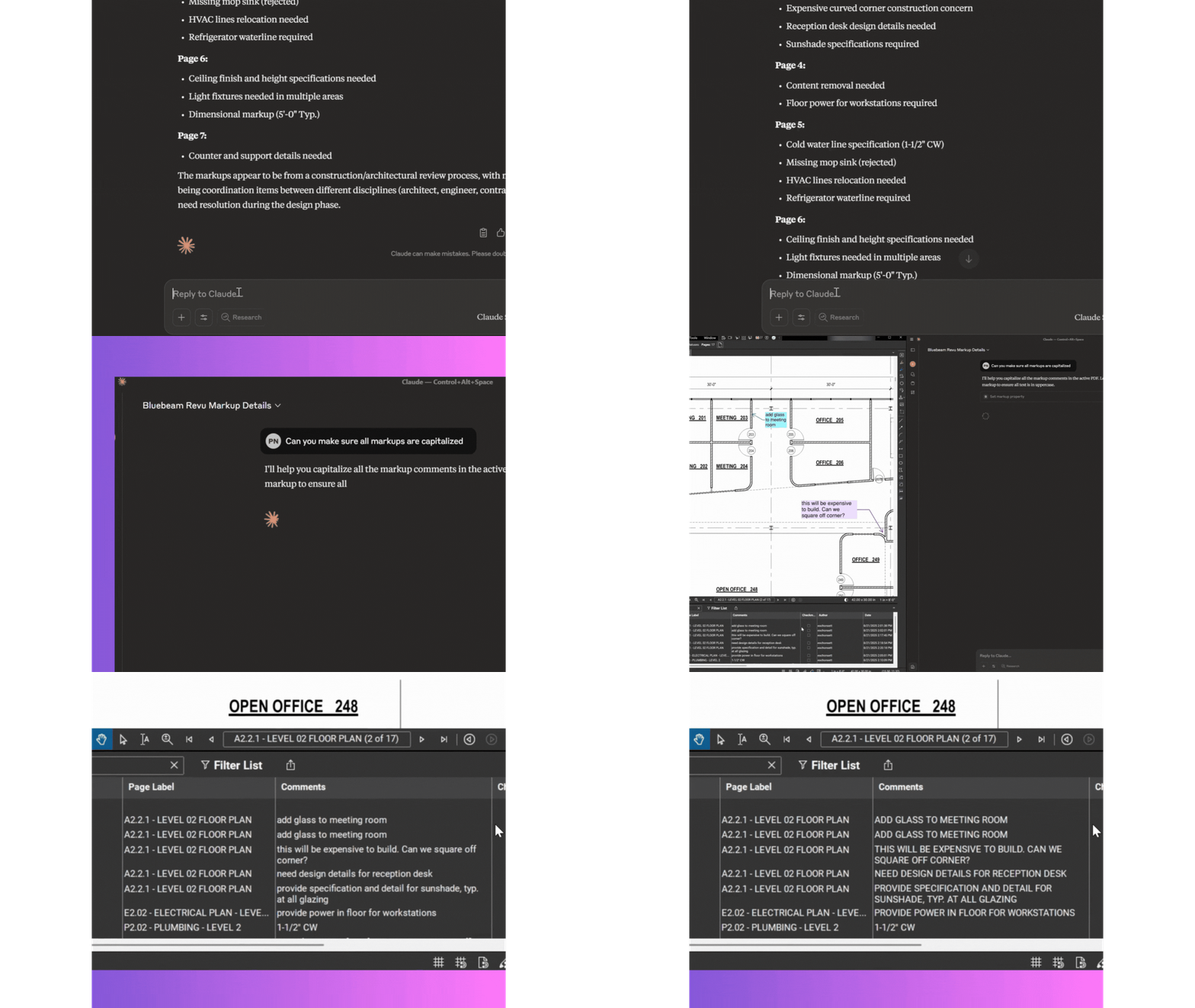
Talk to your drawings
Connect Revu to Anthropic Claude and use AI prompts to search information, turn markup data into insights, and automate tasks.
Key benefits:
- Faster answers inside large drawing sets
- Less time hunting for details in markups
- Better consistency in review outputs
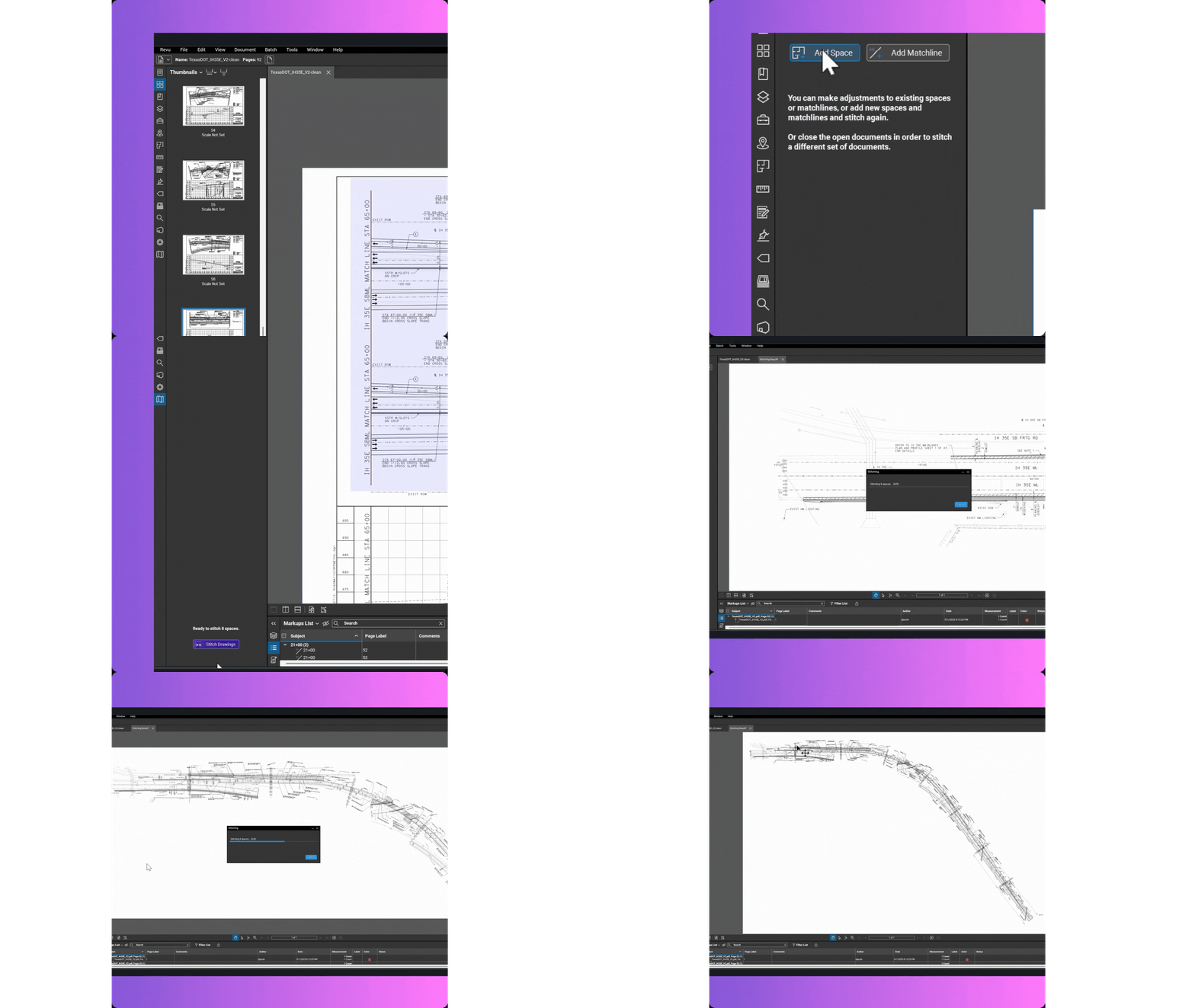
Stitching
Automatically combine sheets into a single continuous view to understand context across large plans.
Key benefits:
- Big-picture clarity across complex layouts
- Faster navigation across related sheets
- Easier corridor / campus-style reviews
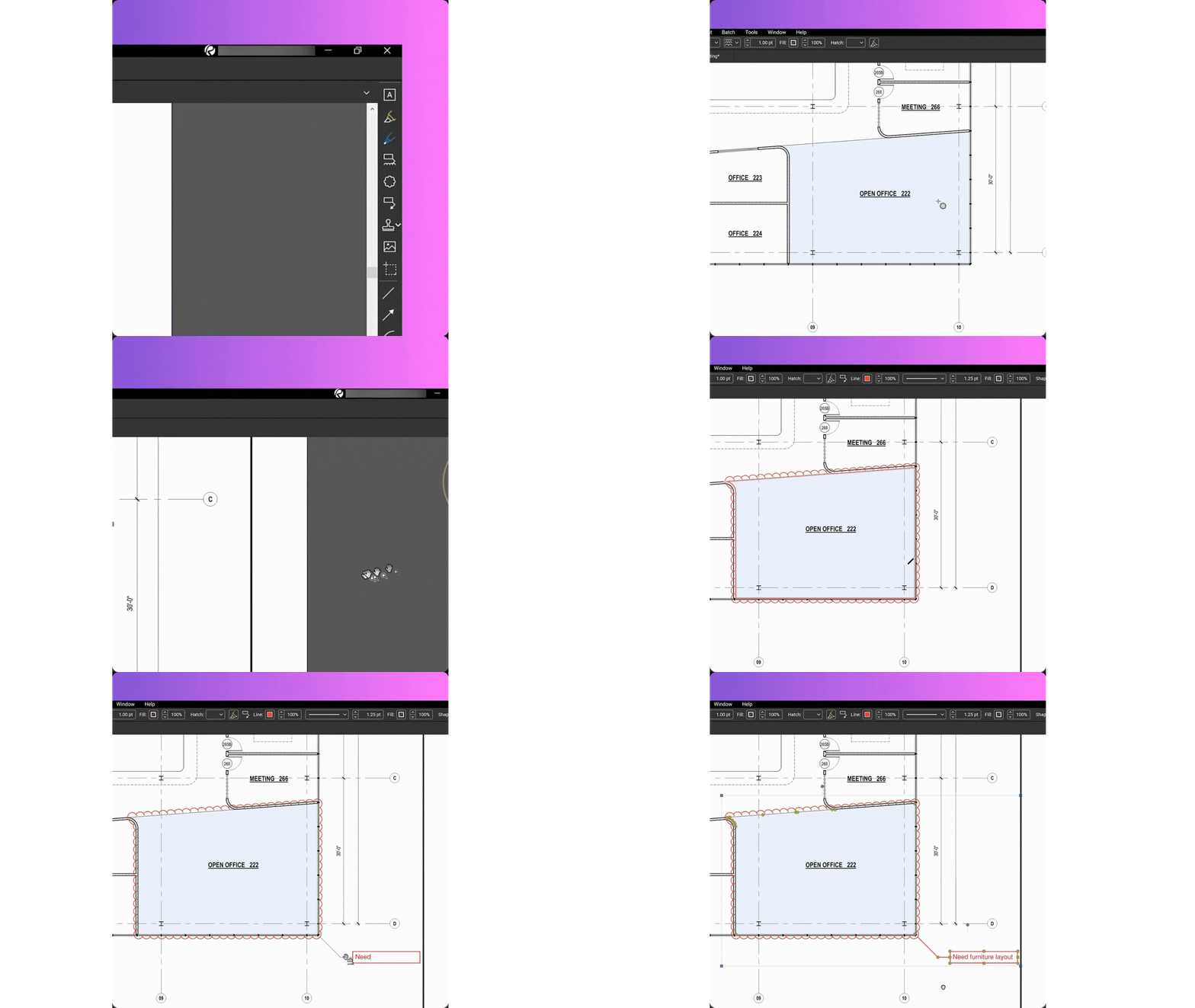
MagicWand
Duplicate, offset, or convert markups with CAD-level precision—without manual redrawing.
Key benefits:
- Reduce repetitive markup work
- Standardize markup placement
- Speed up high-volume review tasks
AI-Review
Scan documents for design issues, scope gaps, and discrepancies—then surface insights as AI-generated markups, dashboards, and trackable issues.
Key benefits:
- Catch problems sooner
- Reduce review blind spots
- Turn findings into trackable action
AI-Match
Detect design changes across phases, disciplines, and drawing scales with visual overlays and comparisons that go beyond standard tools.
Key benefits:
- Faster “what changed?” clarity
- Fewer missed revisions
- Better control across issued sets
Connected Studio Sessions with Revit
Link Bluebeam markups back to the correct location in Autodesk Revit—on the corresponding sheet and 3D view.
Key benefits:
- Reduce 2D ↔ 3D disconnects
- Improve coordination across teams
- Make review feedback easier to action
How Bluebeam Max helps across the review lifecycle
Automate the busy work
AI-powered automation is designed to handle tedious tasks and complex workflows—so your team spends less time on repetitive work.
Get ahead of delays and cost overruns
AI-powered design reviews are positioned to help resolve issues before they become expensive setbacks.
Bridge the gap between PDF and BIM
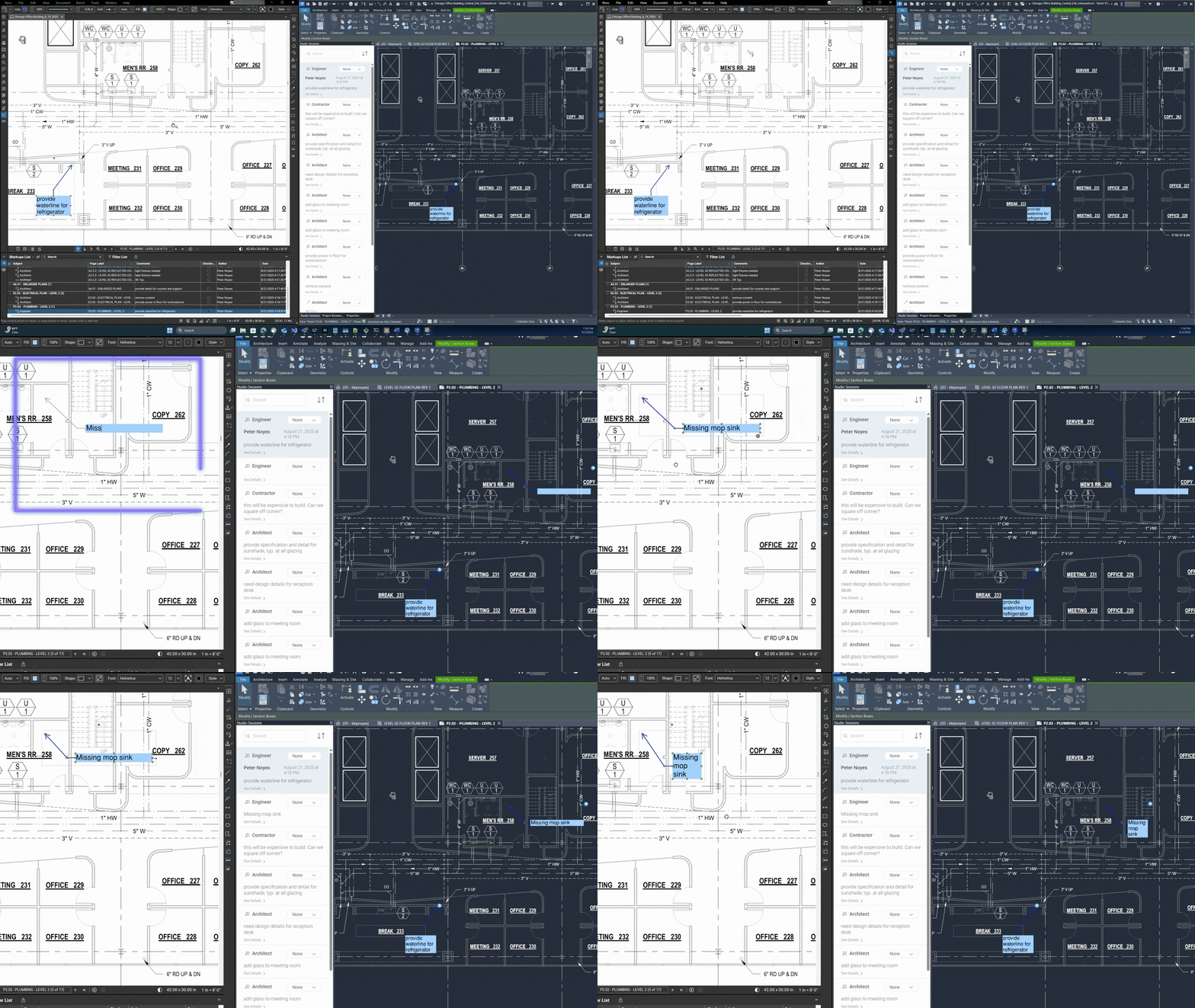
Connected Sessions with Revit is designed to improve coordination between BIM users and Bluebeam reviewers by linking markups to model context.
Start with what makes Max valuable: a ready workflow and consistent standards.
Bluebeam Max delivers the strongest impact when your teams already share the same review conventions—tool sets, statuses, markup lists, and issue workflows. SolidCAD helps you put that foundation in place so when Max features arrive (or enter beta), your pilot is measurable and your rollout stays controlled.
Bridge the gap between PDF and BIM
Improve coordination between teams working in BIM and Bluebeam using Connected Studio Sessions with Revit®. Bluebeam markups can link back to the right location in Revit—on the corresponding drawing sheet and 3D view—so feedback is easier to action and coordination stays aligned.
Interested in Bluebeam Max?
Whether you’re ready to get started today or want to understand how Max fits into your current Revu environment, SolidCAD can help.
As an authorized Bluebeam reseller and certified implementation partner, we’ll help your team:
- Get set up on Bluebeam Max quickly and correctly
- Prepare the workflow standards that make AI features most effective
- Run a pilot that proves value before scaling across your organization

Bluebeam Max FAQ
What is Bluebeam Max?
Bluebeam Max is a premium subscription plan that enhances Bluebeam Revu with AI-powered capabilities. It’s built to help teams review drawings faster, automate repetitive tasks, and improve confidence when changes happen across revisions. Bluebeam Max is now available.
Is Bluebeam Max available now?
Yes. Bluebeam Max is now officially available. Contact SolidCAD to get started or visit our eStore to purchase.
How do I get Bluebeam Max?
Bluebeam Max is available through SolidCAD as an authorized Bluebeam reseller. You can purchase directly through our eStore or contact our team for guidance on the right plan for your organization.
Can I try Bluebeam Max before purchasing?
Yes. New users can sign up for a 14-day Max trial. Current Bluebeam customers also have options for extended trials. Contact SolidCAD to learn more about trial availability in your region.
What problems does Bluebeam Max help solve?
Bluebeam Max is designed to reduce common review headaches, including:
- Slow review cycles caused by manual, repetitive steps
- Missed changes between revisions that lead to rework
- Inconsistent markup standards across teams and projects
- Disconnected workflows between PDF review and BIM coordination
What are the key features of Bluebeam Max?
Bluebeam Max includes:
- AI-assisted review to surface design issues, scope gaps, and discrepancies earlier
- AI-powered change detection across revisions, disciplines, and drawing scales
- Sheet stitching for continuous, large-format plan review
- MagicWand for advanced markup automation without manual redrawing
- Connected Studio Sessions with Revit® to link markups back to model context
- Integration with Anthropic Claude via Model Context Protocol (MCP)
Does Bluebeam Max work with Revit?
Bluebeam has announced Connected Studio Sessions with Revit®, designed to link Bluebeam markups back to the related location in Revit—on the corresponding drawing sheet and 3D view—so coordination is easier and feedback is quicker to action.
How should we prepare for Bluebeam Max?
Max delivers the strongest value when teams already have consistent review conventions — tool sets, statuses, markup lists, and issue workflows. SolidCAD offers Bluebeam Launch and Bluebeam Optimize packages to help you put that foundation in place before or alongside your Max rollout.
Which AI models will Bluebeam Max support?
Bluebeam says Max will initially integrate with Claude and is built on Model Context Protocol, designed to connect with other AI models (examples Bluebeam lists include Microsoft Copilot, ChatGPT, Perplexity, and Google Gemini) as desktop MCP integrations become available.
Will Bluebeam Max replace the Revu workflows we already use?
No. Max is designed to build on top of familiar Revu workflows, helping teams move faster and work more consistently—without forcing a complete process reset.
Interested in how SolidCAD can help?
At SolidCAD, we help AECO teams adopt Bluebeam in a way that actually sticks—through workflow mapping, standards, training, and rollout planning.
If you’re planning for Max, we’ll help you:
- Identify where Max will remove friction fastest
- Prepare consistent review standards (so AI outputs stay usable)
- Run a pilot that proves value before scaling