


Software & Technology
Chaos Veras
AI-Powered Visualization for Architects & Designers
From idea to client-ready presentation, Veras transforms 3D models, 2D drawings, and sketches into stunning visuals and animations in seconds — right inside Revit, SketchUp, Rhino, and your other design tools, or through the web app. Powered by Nano Banana 2.

What Is Veras?
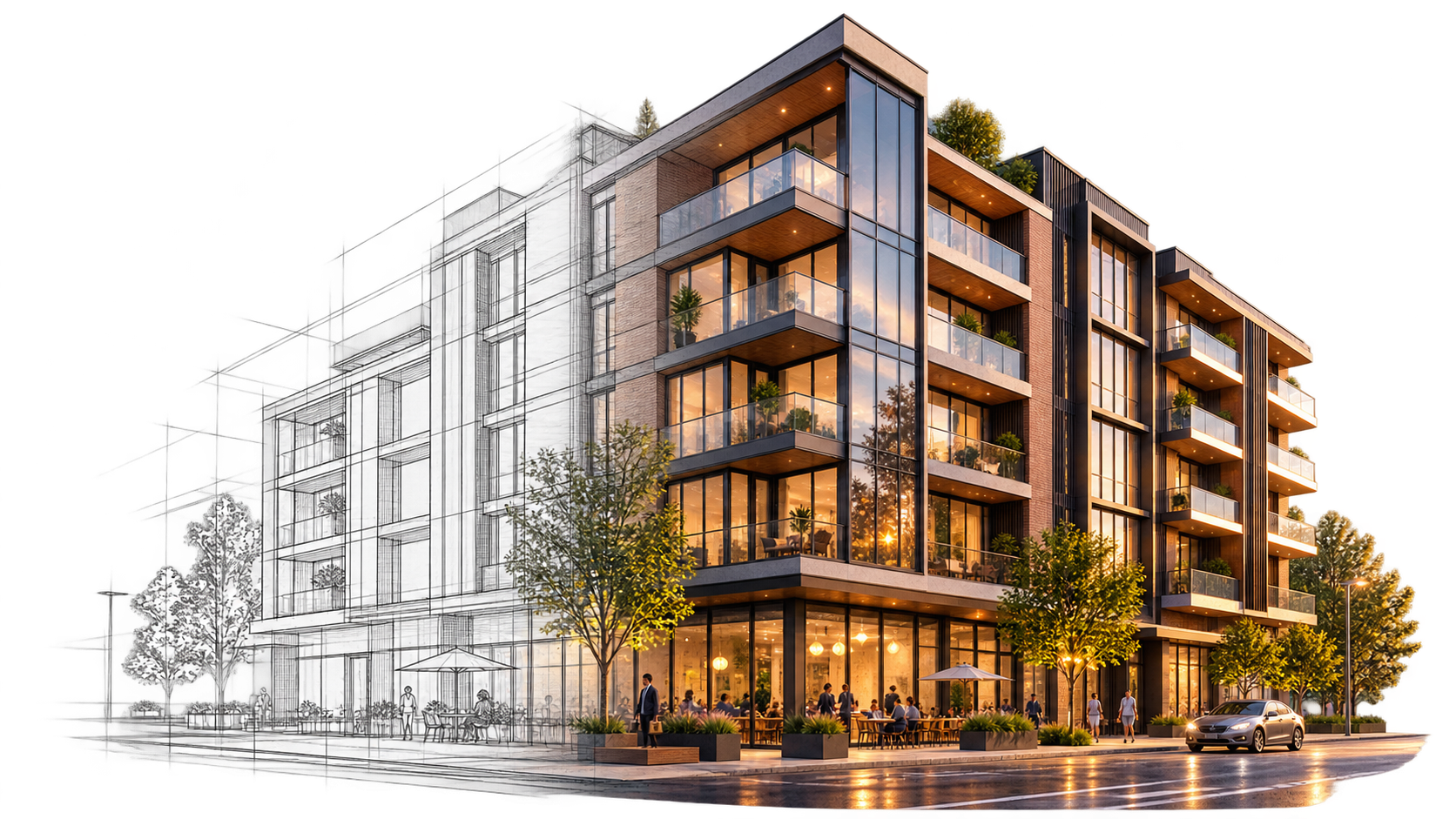
Chaos Veras is an AI visualization tool that transforms 3D models, 2D drawings, and sketches into photorealistic renders and animations in seconds — directly inside your design software or through the web app. It lets architects, designers, and engineers explore dozens of design directions instantly, without manual rendering setup.
Works directly inside: Revit, SketchUp, Rhino, Archicad, Vectorworks, Autodesk Forma, and Allplan. Also available within Enscape, V-Ray, Corona, and as a standalone web app.
Featured Workflows with Veras
Discover how Veras fits into your architectural workflow.
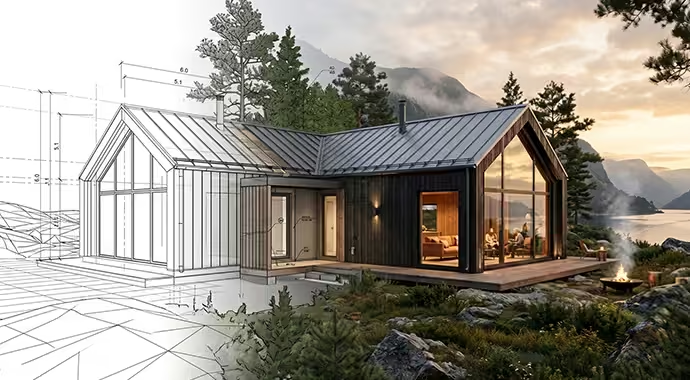
Sketch to Image
Upload a sketch or image, add a prompt, and Veras turns it into a stunning visualization. Or use presets for instant stylized renders.
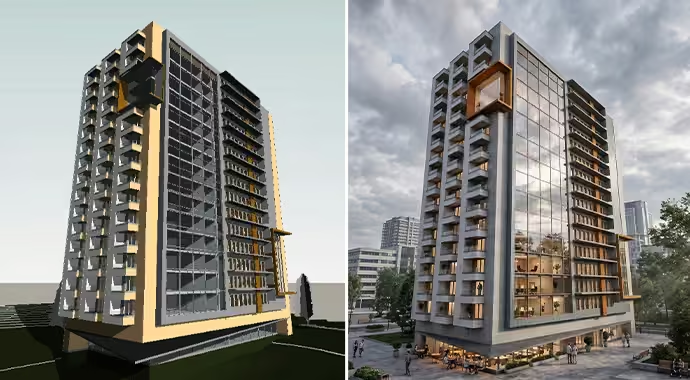
3D Model to Image
Instantly transform your models into stunning visuals with simple text prompts and AI-powered presets. Apply realistic materials, lighting, and environments directly within your 3D design authoring tool.
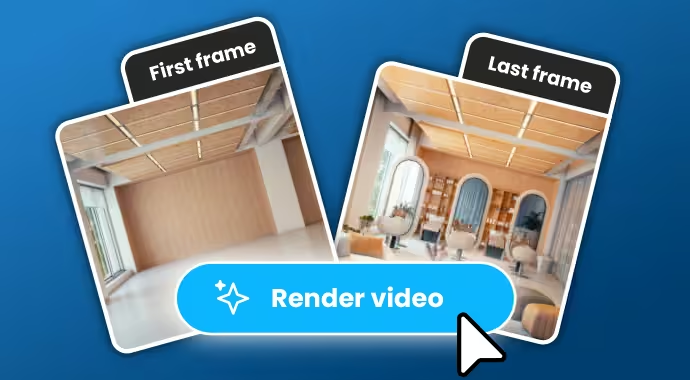
Image to Video
Turn any image into a dynamic video with Veras. Add a prompt or use presets to instantly animate your visuals into engaging motion.
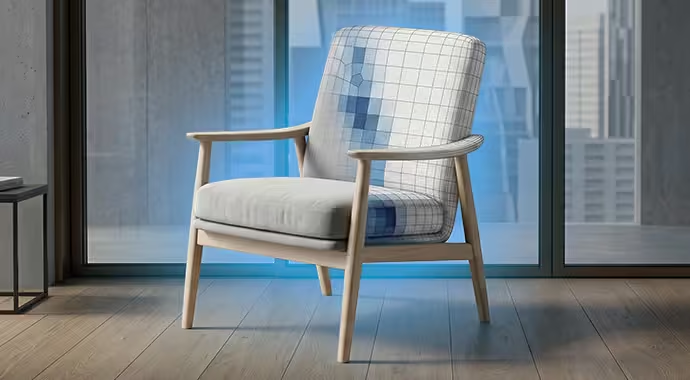
From 2D Floor Plans to 3D Perspective
Turn 2D plans into detailed 3D renderings instantly, bringing your drawings to life with a single prompt.
Veras Across Every Project Phase
Ideation — Dozens of Directions in Seconds
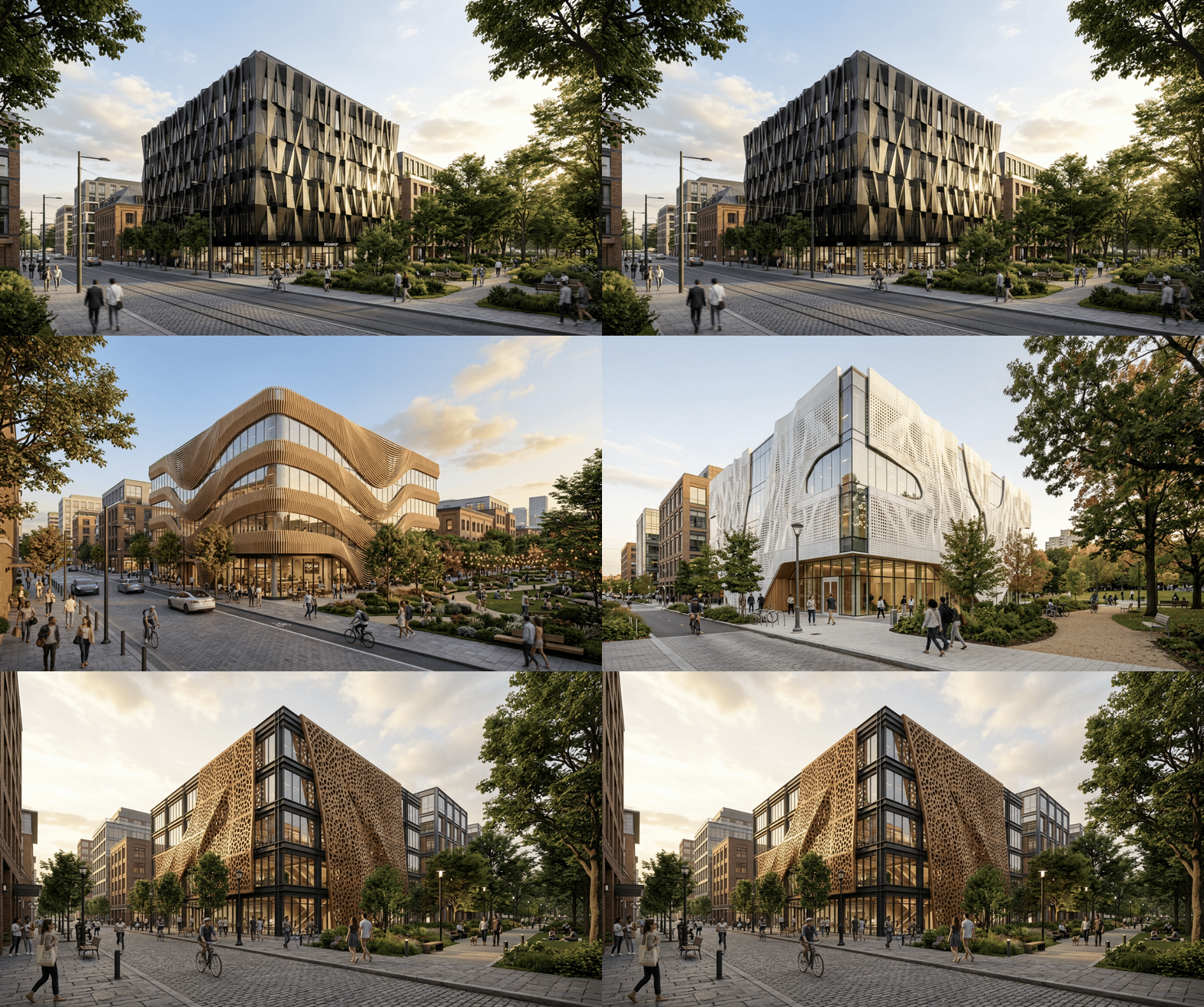
From an idea to a compelling render in seconds. Veras renders multiple design ideas instantly, whether you upload a rough sketch, type a text-to-image prompt, or use preconfigured presets to switch looks and explore diverse directions without manual setup. Walk into every client meeting with multiple options.
Schematic Design — Key Decisions Backed by Visual Evidence
Generate material studies, test colour options, and explore façade treatments within your existing model geometry. Upload a reference image and Veras extracts its style, palette, and atmosphere and applies it to your 3D model. With precise prompt control, only specified geometry and materials change, keeping your massing intact, so design decisions are based on visual evidence, not guesswork.
Design Development — Faster Iteration Cycle
Show multiple style options based on the same space or structure — across moods, materials, and seasons. Want to change just part of the image? Use render selection to isolate, prompt, and re-render only what needs updating, a wall finish, a lighting scheme, without touching the rest.
Visualization — Renders With the Detail to Tell the Full Story
Produce multiple render variations from different angles for comparison. Swap the season, shift from golden hour to a dramatic night shot, or enrich the scene with vegetation, people, and contextual assets — all through a prompt.
Post-Editing — Polished, Print-Ready Deliverables
Your render is already 90% there — don’t rebuild it. Fine-tune brightness, contrast, saturation, and blur directly on the canvas, or enhance and upscale to high-resolution images in seconds. Deliver polished, print-ready results, even when last-minute client changes hit.
Presentation — Animations That Land
Transform a single static render into immersive, smooth animation — camera movements, weather, seasonal shifts — setting project presentations apart with minimal effort.
Veras Subscription Options

CHAOS VERAS Pro, Floating Annual
Recommended for teams who want maximum flexibility.
$739.20
year
CHAOS VERAS Ultra, Floating Annual
Built for high-volume visualization workflows and larger teams.
$2,136.96
year
Why Buy Veras from SolidCAD
As a Chaos Gold Partner, SolidCAD is your trusted Canadian source for Veras — and for getting real value out of it, not just a license key.
Local expertise, Canadian pricing. Get licensing guidance in CAD, quotes tailored to your team size, and a single point of contact for your entire Chaos ecosystem — Veras, Enscape, V-Ray, and Corona.
Workflow integration, not just software. As Autodesk and Chaos specialists, we help you connect Veras with the tools you already run — Revit, SketchUp, Rhino, Forma — and fit it into your broader BIM and visualization pipeline.
Onboarding and training that sticks. Get your team productive quickly with guidance from specialists who know both the software and the AEC industry, so Veras becomes part of how your team actually works.
Support that’s here after the sale. From license management to technical questions, our Canadian team supports you well beyond the purchase — not just at checkout.
One partner for your whole visualization stack. Many teams pair Veras with Enscape for real-time rendering or V-Ray for photorealistic output. As a Gold Partner across the Chaos line, we help you choose the right combination and manage it all under one roof.

Veras FAQ
What is Veras?
Veras is an AI visualization tool by Chaos that turns 3D models, sketches, and 2D drawings into photorealistic renders and videos in seconds, using text prompts and presets — directly inside your design tools or through the web app.
Which software does Veras work with?
Veras works as a plugin for Revit, SketchUp, Rhino, Archicad, Vectorworks, Autodesk Forma, and Allplan, is available inside Enscape, V-Ray, and Corona, and can be used through the standalone web app.
How is Veras different from Midjourney or other AI image tools?
Unlike general-purpose AI image generators, Veras is built for architecture: it works inside your design tools, respects your model geometry, and changes only the materials or elements you specify while keeping your design intent intact.
What is the difference between Veras and Enscape?
Enscape is a real-time rendering and walkthrough engine for photorealistic output from your model. Veras is a generative-AI tool for quickly exploring design directions, materials, and moods. Many teams use both, and SolidCAD can help you combine them as a Chaos Gold Partner.
Can Veras turn a 2D floor plan into a 3D rendering?
Yes. Veras can convert 2D plans into detailed 3D perspective renderings from a single prompt, and can also generate axonometric diagrams from 3D models.
Can small architecture firms benefit from Veras?
Yes. Veras scales from individual creators to large enterprises. Its speed and ease of use make it especially valuable for small firms that need client-ready visuals without a dedicated rendering team.
Who owns the images I create with Veras?
You own the images you generate with Veras. SolidCAD can walk you through the full Chaos terms on data handling and ownership as part of your evaluation.
How much does Veras cost in Canada?
Veras is available in Pro (Named and Floating) and Ultra plans, priced in CAD and billed annually. Contact SolidCAD, a Chaos Gold Partner, for current Canadian pricing and a plan recommendation for your team.
Can I try Veras before buying?
Yes. Chaos offers a 14-day free trial with 100 credits included. SolidCAD can also arrange a demo tailored to your workflows.
Does SolidCAD provide Veras training and support?
Yes. As a Chaos Gold Partner, SolidCAD provides licensing, onboarding, training, and ongoing support for Veras and the full Chaos product line across Canada.
Why SolidCAD Partnered with Chaos
SolidCAD partnered with Chaos to bring the latest AI-powered visualization capabilities to Canadian architects, designers, and engineers. As a Chaos Gold Partner, our technical consultants have the expertise to help you integrate Veras into your existing Revit, SketchUp, and Rhino workflows, from initial setup and licensing through to advanced training and ongoing support, so your team can explore more ideas, iterate faster, and deliver polished visuals in a fraction of the time.
Contact us to bring AI-powered visualization into your design workflow.