• Canadian Flag Proudly Canadian Operated
  • Civil 3D: Standardized Data Tool

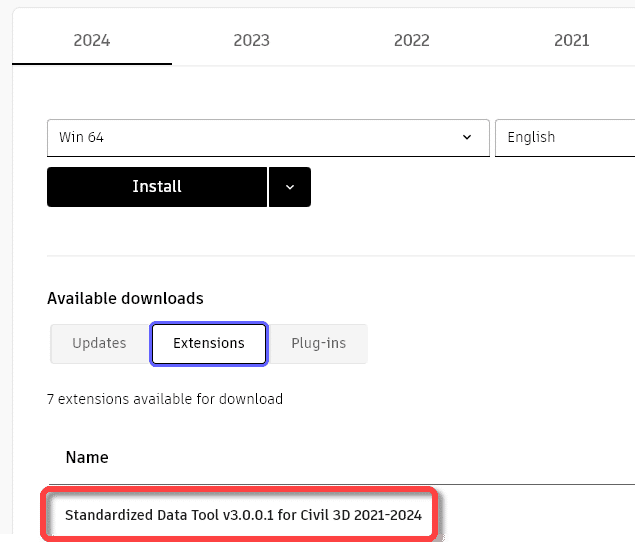
    This free tool from Autodesk will allow you to quickly collect data from across all your Civil 3D drawing files and manage those data in a single Excel spreadsheet. It can be downloaded from your Autodesk site. It is available for Civil 3D versions 2021-2024. Here is its home page. To learn more, read on.

    Autodesk Civil 3D image

    A few things to consider:

    • It’s all about metadata.
    • The new tool leverages the power of Civil 3D Property Sets exclusively.
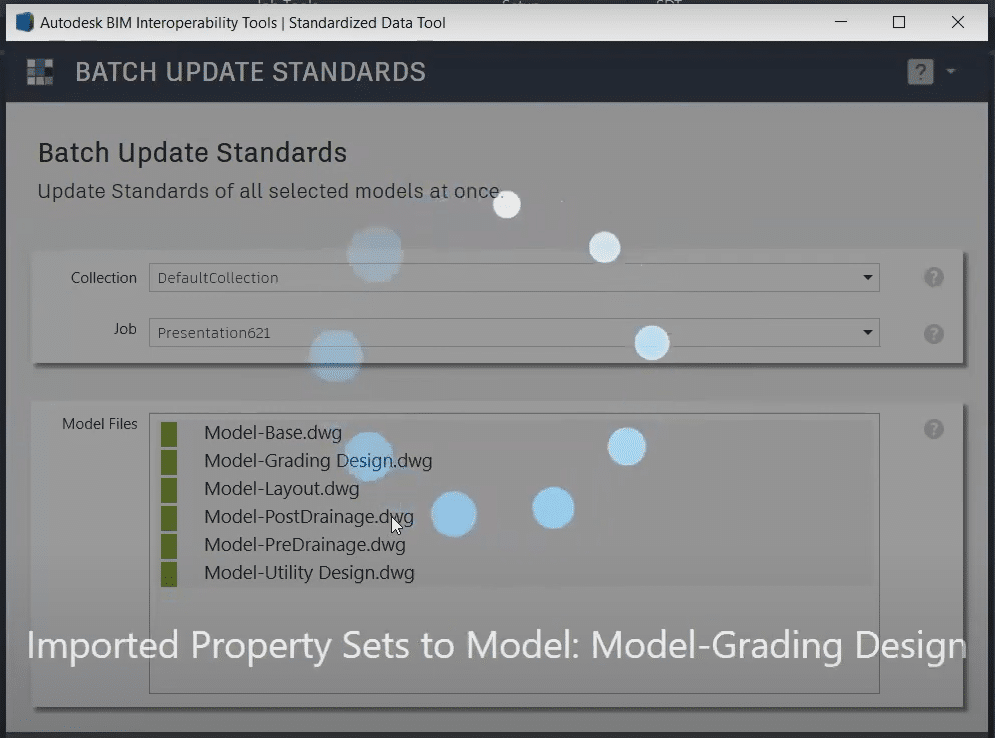
    • Data across multiple drawings can be validated in a single operation.
    • Drawing objects can be queried. For example, from a selection of 12 drawings, list all pipes greater than 200mm diameter.
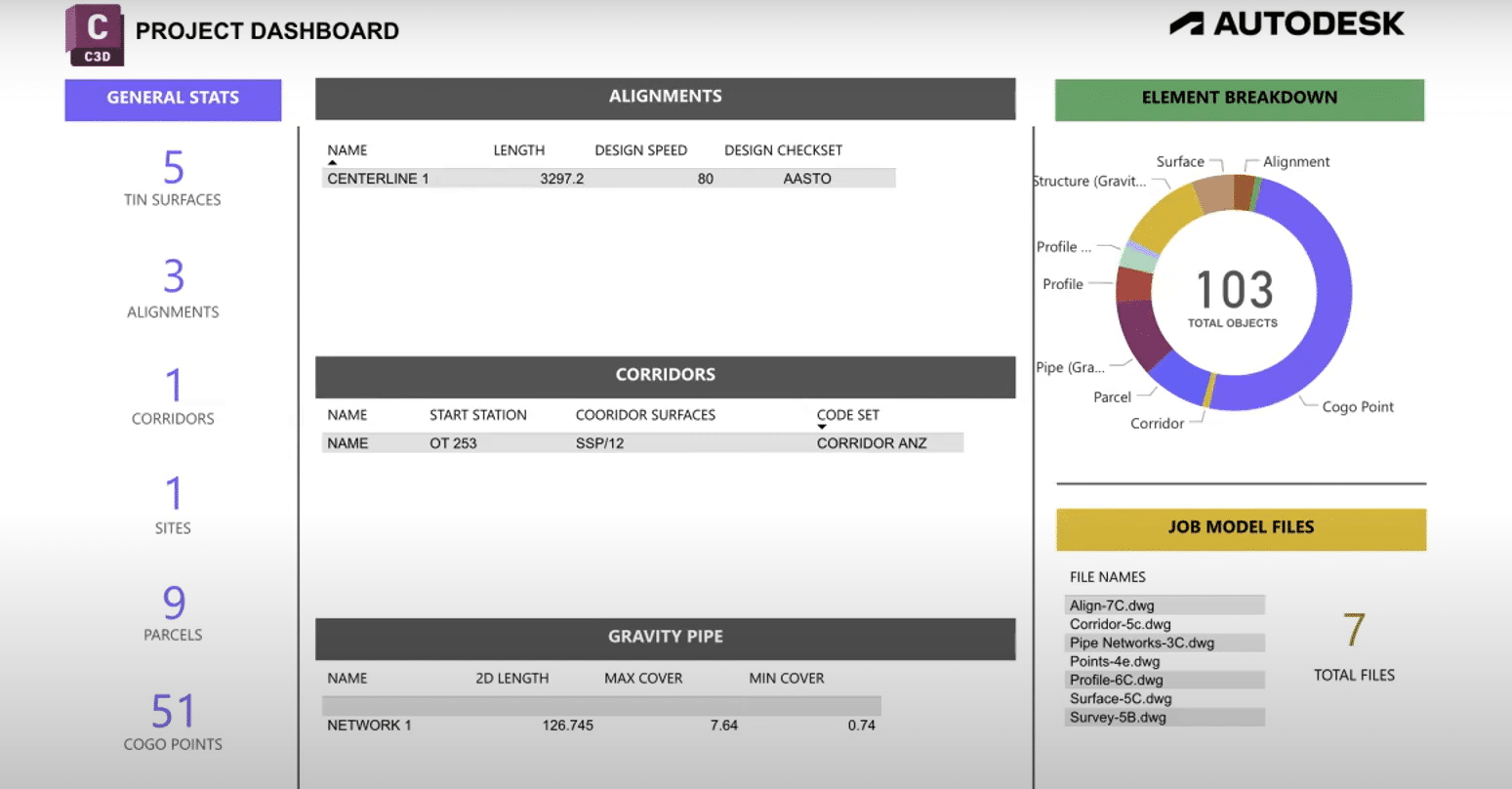
    • The project dashboard can be used to quickly summarize a project.


    batch updateCivil 3d program

    Here is a YouTube playlist prepared by Autodesk.

    To learn more about Civil 3D, feel free to contact us.

    Manufacture Scorpion

    Success Stories

    Manufacture Scorpion

    Manufacture Scorpion Success Story

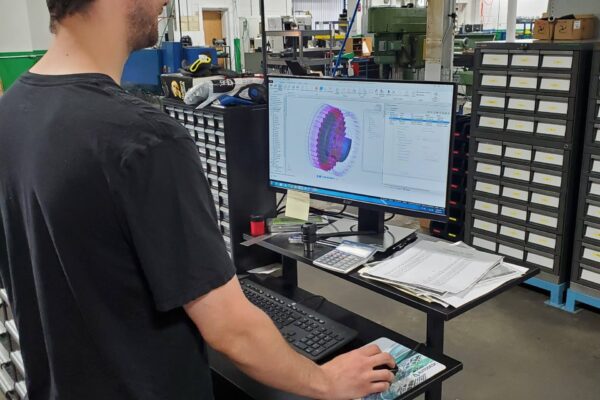
    Manufacture Scorpion is a manufacturer/distributor whose mission is to make the world’s best pneumatics and vacuum technologies available quickly and easily to North American companies. As the largest Pneumax partner, they have exclusive agreements with the world’s best suppliers to achieve their goal, allowing them to offer the best technology and help their customers be world-class.

    Based in Granby, QC, Manufacture Scorpion pioneered 24-hour service in North America for pneumatic cylinders. Their manufacturing employs the best machining technologies to achieve the fastest manufacturing speeds so their customers don’t have to wait. Their goal is to be the fastest to deliver.

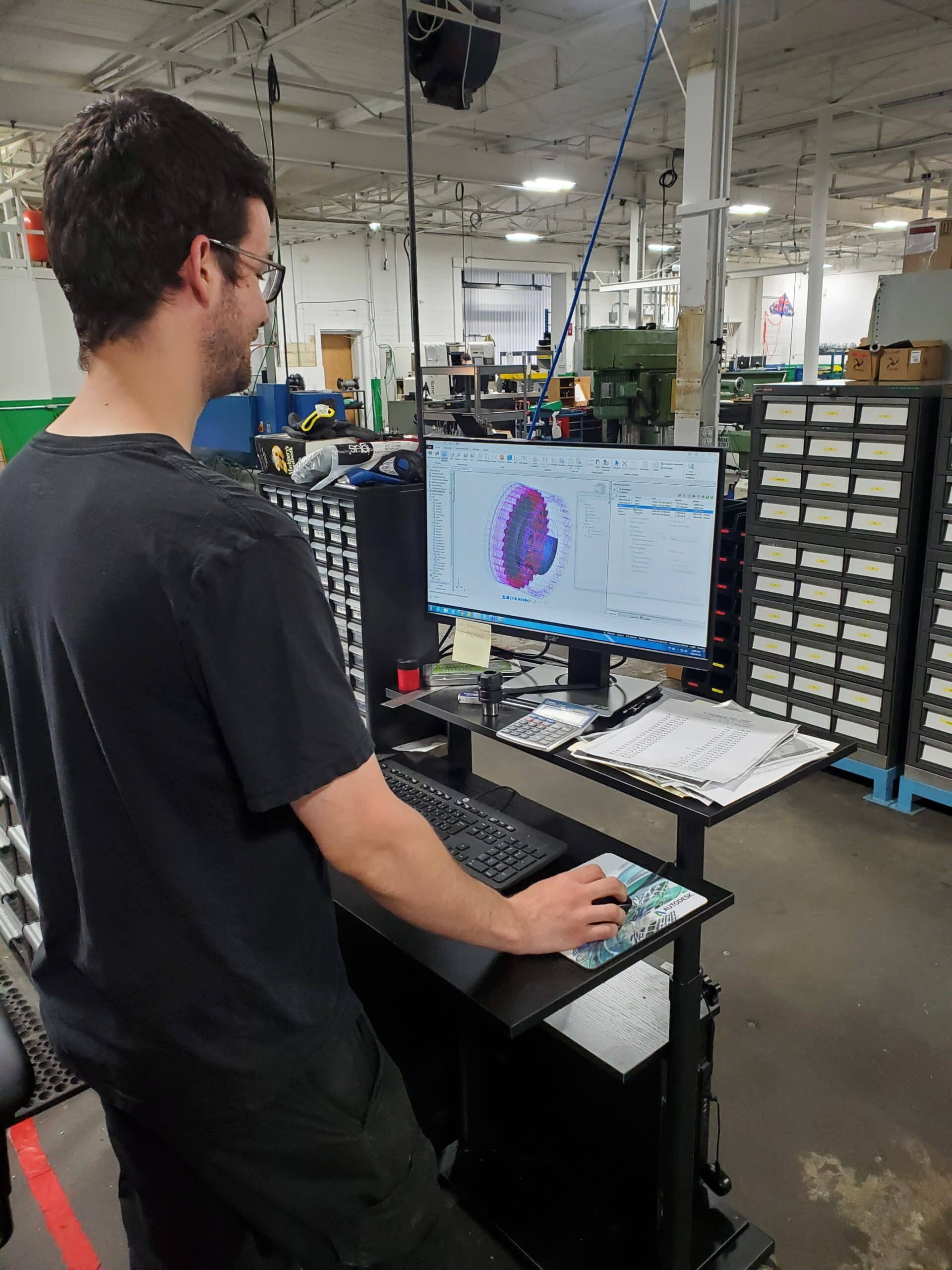
    Rapid Expansion: Increasing CNC Programming Capacity to 300% with FeatureCAM!

    The Challenge

    As an industry leader, Manufacture Scorpion has experienced rapid growth, demanding fast expansion without sacrificing the quality and speed that their customers have grown to expect. With this expansion came challenges such as training new employees and acquiring new software licenses and post processors for new equipment. Knowing they needed a highly skilled team and could not afford delays; they reached out to SolidCAD to create personalized training program for new employees.

    Manufacture Scorpion already had a standing relationship with the SolidCAD team. They have used FeatureCAM for 10 years to program their CNC equipment and, as an Autodesk Partner, SolidCAD has often provided technical support to help resolve programming challenges. This long-standing relationship gave them the confidence to reach out and face this newest expansion together.

    The Solution

    To meet their increasing demand, Manufacture Scorpion acquired a new CNC machine, which required a new post processor created by SolidCAD. Along with the custom training, SolidCAD’s professional services team also continues to offer remote technical support for all their programming needs.

    The Results
    1. The ability to program parts on multiple workstations has allowed them to increase their CNC programming capacity to 300%.
    2. Their personalized training programs allow new team members to hit the ground running without losing unnecessary time in the onboarding process.
    3. Remote technical support with the SolidCAD team’s flexible availability allow for any challenges to be resolved quickly and avoid delays.

    Testimonial

    The availability and flexibility of the instructors, and their ability to offer services without delays made all the difference

    The team dedicated to remote technical support by phone and email is also unparalleled.

    They made the FeatureCAM software easy and efficient to use, which makes a big difference compared to other CAM software. It allows us to be aligned with our vision of the service and quality we want to offer our customers.

    – Bruno Roy, Director of Production at Manufacture Scorpion Inc

    Products & Services Used

    • FeatureCAM
    • Personalized Training
    • Post processor creation
    • Technical support

    Similar Projects

    C.F Crozier

    Plasman Success Story

    Plasman didn’t just improve productivity — they reshaped the way their team works. Explore the complete story to see what changed and why it mattered.[...]
    Nectgen mold

    NextGen Mold

    NextGen Mold Technologies was founded in 2021, following the acquisition of Enterprise Mold. Based in Windsor, Ontario, they have quickly established a strong reputation in the injection mold industry. The wide array of equipment and…

    Circle 5

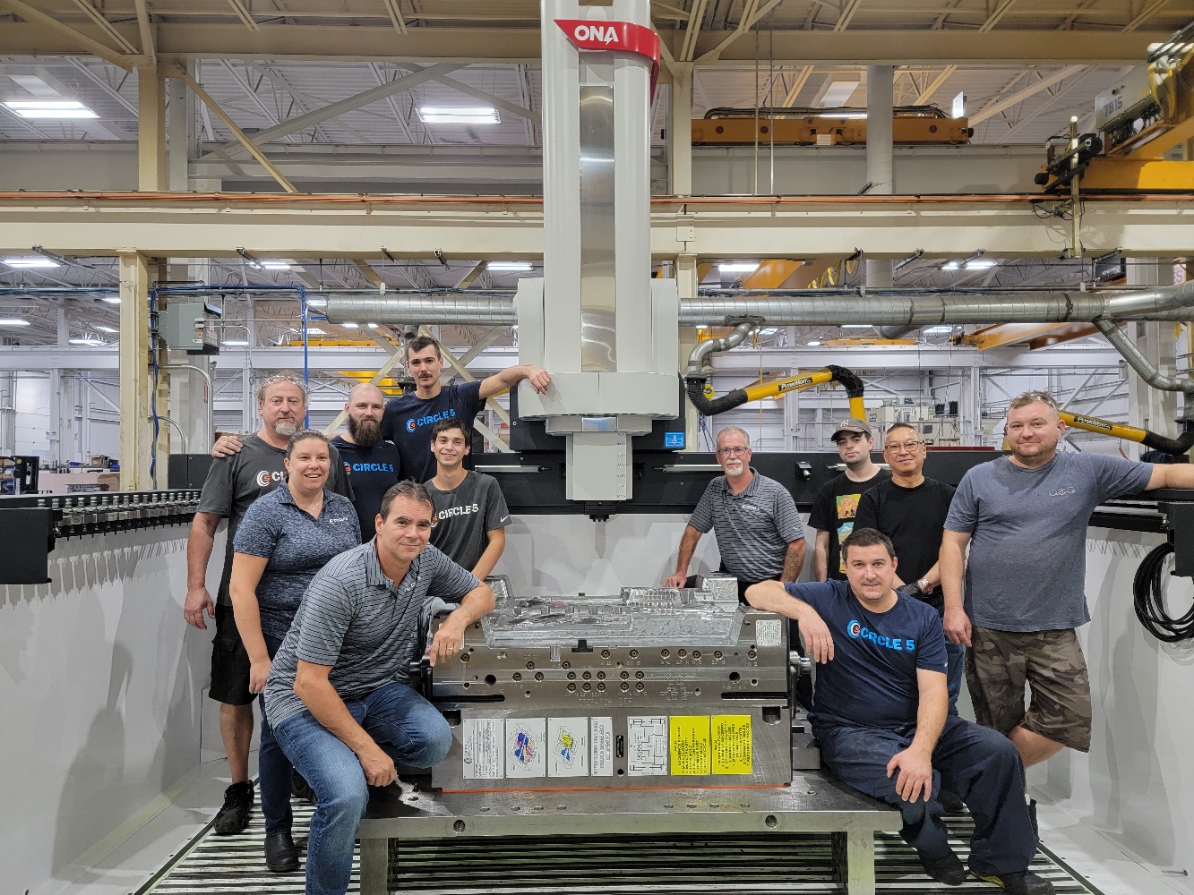
    Founded in 1987, Circle 5 has established itself as a leader in the manufacturing and prototyping industry. Their expertise in machining both ferrous and non-ferrous metals, combined with their state-of-the-art multi-axis CNC and EDM capabilities,…

    SolidCAD expands partnership with Chaos, now offering Enscape – a leading visualization tool for design firms worldwide.

    TORONTO, ON – June 27, 2023 – SolidCAD, a prominent Autodesk Platinum partner and professional services firm based in Canada, is delighted to announce its expansion of the Chaos product line with Enscape, which provides industry-leading real-time visualization workflows for architects. In 2022, Enscape merged with Chaos, forming a powerhouse in 3D visualization and design workflow technology. Together, the combined entity focuses on developing cutting-edge 3D visualization solutions for clients in diverse industries such as architecture, engineering, construction, product design, manufacturing, and media and entertainment.

    By joining forces, Chaos and Enscape are committed to bolstering their product lineup, aiming to offer customers a comprehensive end-to-end visualization solution worldwide. SolidCAD is thrilled to incorporate another visualization tool into their offerings, alongside Chaos’ existing portfolio of V-Ray products and Corona. This expansion will greatly benefit SolidCAD’s customers in North America, empowering them to elevate and reimagine the way they bring their designs to life, from concept to construction.

    “SolidCAD has always put the goals and needs of our customers first,” Marcus Tateishi, President at SolidCAD states. “We want to help our clients overcome visualization challenges and deliver exceptional outcomes. By adding Enscape to our portfolio, we can help our clients translate their design concepts into captivating visualizations, and drive success in the AECO space. We are particularly excited to announce that we will be able to support customers across North America, in primarily Canada and the U.S. This will be an advantage to firms with offices in both countries, enabling quality professional services and customer success experiences.”

    “SolidCAD has been an exceptional Chaos partner for over a decade, helping us bring the best 3D visualization software to North America” Kalin Vasilev, Channel Manager for Chaos states. “With the merger of Enscape and Chaos, we are excited to collaborate with SolidCAD on this new chapter of our partnership. Together, we are committed to offering the most comprehensive end-to-end 3D visualization ecosystem to design professionals in Canada and the United States.”

    Join SolidCAD for an overview webinar on July 25 at 10:30 am PT/1:30 pm ET to learn more about the capabilities of Enscape. Register here.

    About Enscape

    Enscape is a high-quality real-time rendering, visualization, and virtual reality software that integrates design and visualization workflows into one. Enscape gives designers the power to create realistic renderings based on their existing planning data and easily produce videos, panoramic images, and VR simulations. Enscape software is compatible with Revit, SketchUp, Rhino, Archicad, and Vectorworks and is used by renowned architecture firms in over 150 countries.

    www.enscape3d.com

    About Chaos

    In 2022 Enscape merged with Chaos to create a global leader in 3D visualization and design workflow technology.

    The newly-combined company, which retains the name Chaos, develops 3D visualization technology for architecture, engineering, construction, product design, manufacturing, and media and entertainment. Creating intuitive and powerful workflows for participants across the entire design spectrum, Chaos aims to develop and strengthen its product portfolio to create a comprehensive end-to-end visualization ecosystem designed to meet the evolving needs of its customers.

    The company’s product portfolio includes V-Ray, a physically based renderer honored with an Academy Award and an Engineering Emmy; Enscape, a high-quality real-time rendering, and virtual reality plugin; Corona, a high-performance photorealistic rendering engine; and Cylindo, a 3D furniture product visualization platform for commerce.

    Headquartered in Karlsruhe, Germany, Chaos is the largest global 3D visualization company with more than 700 employees and offices worldwide.

    www.chaos.com

    The City of Barrie

    Success Stories

    The City of Barrie

    The City of Barrie (“the City”) is a municipality located in Central Ontario, just over 100 kilometres north of Toronto. Barrie is in Simcoe County, on the shores of Kempenfelt Bay, which is the western arm of Lake Simcoe. In 2020, Barrie was home to 151,000 residents, a population that has more than doubled in the past 35 years and is projected to grow to 298,000 people by 2051. As the largest urban center in Simcoe County, Barrie is the economic and employment hub of Central Ontario. As a single-tier municipality, the City is exclusively responsible for providing critical infrastructure and hundreds of services to its residents including roads, water, wastewater, parks, recreation, culture, and many more.

    The City of Barrie’s Geographic Information Systems (GIS) branch, within the Information Technology department, is responsible for the management of digital spatial and attribute data, GIS/CAD applications, and useful tools for the City.  GIS provides the corporation, and the public, with an efficient way to access, maintain, analyze, map, and develop the City’s spatial and related data through interactive maps, mobile applications, dashboards and more.

    Within the IT Department, there is also a Project Planning and Delivery team that manages the City’s technology-based projects and is responsible for bringing all teams together during a project’s lifecycle. They are specifically in control of helping manage and improve the current workflow and evaluate the organization’s digital transformation.

    Improving Efficiencies by updating Digital Information on CAD Standards & Templates

    Current Workflow

    The City of Barrie has been a long-time user of Autodesk products and has worked with SolidCAD over the years as their software solutions provider. As the City continues to grow, they are looking to further improve the process of digital information submissions and more specifically their CAD Standards & Templates. Each infrastructure or development project undergoes a design process before construction. When a new project is submitted, the Infrastructure team, or external design consultant, designs within a CAD template and uploads the digital drawing to a repository. The GIS department is then responsible for taking those designs, importing them into a GIS format, and updating a centralized enterprise database. This data is then disseminated to a variety of corporate applications for the City to access, visualize, and then use to make informed decisions.

    The Challenge

    The current CAD template was not being leveraged by external consultants and information was not easily extracted into the City’s GIS database, causing delays and inconsistencies on many projects.  The City realized that these delays were often due to the drawings being created without the use of a proper set of templates. Due to a lack of use of the template standards, incompliant drawings required much clarification by the GIS team, causing re-work and re-submissions until standards were finally achieved. This back and forth proved inefficient.

    After fully understanding how this challenge impacted their business and the speed at which data was accessible by end users, the City identified that they needed to revisit the current digital information standard. Through an RFP process, SolidCAD won the bid for the project and would further assist the City in understanding their current workflow and solving these challenges quickly.

    The Solution

    Through various interviews and discoveries, SolidCAD’s technical team reviewed the City’s current Digital Information Standards (DIS) and completed a detailed review of the existing CAD templates they had in place. After this deep analysis, SolidCAD divided the solution into three phases:

    • Create and update the DIS document with associated CAD templates, and more specifically, the addition of Object Data Tables to that template to ensure all design files would be standardized to the requirements of other departments and consultants.
    • Develop a technology recommendation that would automate their submission process and validate their designs to adhere to the template standards and provide a recommendation report to correct the design before being submitted to other departments.
    • And lastly, produce a high-level roadmap that defined the strategies and steps required to ensure a successful implementation of an end-to-end digital drawings’ submission process, which included onboarding and training on best practices for AutoCAD, Civil 3D, and the CAD template.

    After presenting the strategy to the City of Barrie, SolidCAD got to work quickly and implemented the first phase of the project by their deadline of February 2023, after receiving the project in September 2022.

    The Results

    After the launch of phase one, the City of Barrie saw three immediate improvements to their current workflow:

    1. Widely accepted across the organization: SolidCAD’s discoveries were extremely impactful, where each impacted department had the opportunity to meet with SolidCAD’s technical team, highlight what was important to them, how they use the current template in their processes and how specific change to the CAD template would affect their workflow. This type of information helped all impacted departments understand the new template since they played an integral part in its development.
    2. Improved communication and speed of projects: The implementation of the new Civil 3D template and internal workflows will streamline the processes of importing and validating digital data from infrastructure projects to the GIS department. Specifically, the GIS Team will spend less time working back and forth with engineers, overall improving communication, and being able to import these design files quicker due to the Object Data Fields that now provide information that can be easily disseminated to the rest of the organization.
    3. Reduced rework through implementation and training: SolidCAD provided training to City of Barrie staff upon the implementation of the new CAD Standards & Templates and provided users with the knowledge and best practices on how to use the template within Civil 3D. This will help improve the project workflows, ultimately reducing the amount of rework that often occurred during the design and as-constructed phases of projects.

    As phase one has been completed, the recommendations in the Road Map report have been approved, and SolidCAD will be leading the development and implementation of the next phase to further automate and validate digital submissions received by the City in the upcoming year.

    Testimonial

    The City required a consultant with the ability to understand our corporate requirements, bridge the CAD and GIS worlds together,

    and create a solution that met a variety of stakeholders needs, all while meeting our stringent timelines. We are very pleased with the guidance, experience, and expertise SolidCAD delivered on all aspects of the project within our timeline.

    – Brent Harlow, Manager of Data, Analytics & GIS at the City of Barrie

    Products & Services Used

    • AutoCAD Civil 3D
    • AutoCAD MAP 3D
    • FME Server from Safe Software
    • ArcGIS Pro – tool on the GIS
    • Python Scripting and Custom ArcPy Toolboxes
    • SolidCAD services to update the City of Barrie Civil 3D template and training of Infrastructure and GIS staff with a local pilot project to confirm that all functional requirements for this Phase have been achieved.
    • Automation Services

    Similar Projects

    Region of Waterloo: Building the Future on a Strong Digital Foundation

    Discover how Region of Waterloo implemented ACC[...]

    Crozier & Associates Inc. Success Story

    Crozier’s rapid expansion across Ontario brought bigger projects, more disciplines, and rising complexity. To keep delivering at the highest standard, they doubled down on digital transformation with BIM and Autodesk Construction Cloud.[...]

    Énergir

    Énergir, Québec's leading natural gas distributor, collaborated with SolidCAD to transition from MicroStation DGN to AutoCAD DWG, enhancing data accuracy, field safety, and interdepartmental collaboration.[...]

    Civil 3D 2023.1 Update

    Autodesk has released the Civil 3D 2023.1 update.  Use the Desktop App to install it or download it from your Autodesk AccountClick here to find out what’s new and what’s been fixed. Please note that you must first install the AutoCAD 2023.1 update.

    Most of the enhancements are centered around Autodesk Docs features.


    Fixed Issues

    Autodesk Trust Center

    For the latest information regarding the security fixes in this Update, refer to the Security Advisory:

    ADSK-SA-2022-0014

    ADSK-SA-2022-0016

    Problems Reported Through the Customer Error Reporting Utility

    As a result of the detailed information that we received from customers who used the Customer Error Reporting Utility, we were able to identify and fix several defects including the following:

    Graphics

    Occasional crashes when selecting some objects with BLEND commands under “Shaded (Fast)” visual style.

    Occasional crashes when switching to “Shaded (Fast)” visual style in some drawings.

    Occasional crashes when launching AutoCAD on some machines with few specific graphic drivers.

    General

    Occasional crashes when opening and then saving some specific drawings.

    Occasional crashes when using PASTESPEC to copy Microsof Excel table into the drawing.

    General Update Content

    The following defects have been fixed:

    Display

    When you turn on/off layers, the objects in the drawing are reflected correctly.

    The dimension preview now displays under “Shaded (Fast)” visual style.

    The 3D objects can rotate correctly on the expected location when orbiting through 3D gizmo under “Shaded (Fast)” visual style.

    Bold and italic formatting in MTEXT now works as expected under “Shaded (Fast)” visual style.

    Markup Import and Markup Assist

    The Markup Assist boundary displays correctly when holding the wheel to pan on one of the locked viewports.

    The Markup geometry keeps the uneditable status after using the TRACEBACK command.

    Pressing the Esc key now cancels the Markup Import process.

    The imported images keep the embedding status after the Markup import is completed.

    Performance

    Improved performance when plotting a file with the raster image pasted and setting “Background Transparency” to Yes.

    Improved performance when orbiting the drawing containing multiple leaders with SHIFT+middle mouse button under “Shaded (Fast)” visual style.

    Improved performance on Hatch pattern previews on the ribbon drop-down list.

    Trace

    The Markup entity can be recognized successfully after undoing the new trace creation.

    The “Trace – Name Already Exists” message now displays when there is a duplicate trace name.

    Sheet Set Manager with Autodesk Docs

    The Edit button on the Sheet Set Manager for Web palette automatically adapts the palette width.

    The expand status on Sheet Set Manager for Web palette is now kept when switching the color theme in AutoCAD.

    The cloud DST file is now recorded on the Recent documents list.

    User Interface

    Drop-down lists now display clearly in certain dialog boxes in Windows 11.

    The QVLAYOUT thumbnail previews can be hidden automatically when selecting one of the layout previews.

    The underscore in the action macro name on the Action Recorder panel now shows in the drop-down list.

    The Close button now displays completely on the top-right side of the Start tab.

    The scroll bar and icons now show correctly in the Recent tab when setting display scale to certain values.

    An error message has been fixed when pressing the Esc key to close “Sort” pop-up list on the Start tab.

    Any layer can now be dragged into a Layer group filter in Windows 11.

    General

    TRIM and HATCH now recognize the edges of Civil 3D objects.

    All copied dimensions now appear at their specified locations correctly when associative dimension is copied multiple times.

    OLE objects now display correctly in Windows 11.

    Commands can now be entered immediately after switching layouts between multiple layouts.

    The renaming function in the Sheet View Category on the Sheet Set Manager is now implemented successfully.

    The Explode option on the Blocks palette is now retained after relaunching AutoCAD.

    The OVERKILL command behavior is now consistent with legacy products.

    Some specific STEP files are now imported correctly into AutoCAD.

    MLEADER objects converted from multiple text objects can now be set to a correct Z value.


    Parent page: AutoCAD Updates

    AutoCAD 2023.1 Update

    Autodesk has released the 2023.1 updates.  Use the Desktop App to install it or download it from your Autodesk AccountClick here to find out what’s new.  Additionally, the 2023.0.1 update is also available.

    This release includes new and updated features, performance enhancements, and fixes for Autodesk® Civil 3D® 2023. It is strongly recommended that you read this entire document before installing.

    Note: AutoCAD 2023 Update 1 must be installed before Civil 3D 2023 Update 1. AutoCAD 2023 Update 1 cannot be uninstalled independently. To remove the update, you must reinstall Civil 2023.0.

    New Features

    Find out about the new and improved features in the Autodesk Civil 3D 2023.1 release.

    Fixed Issues

    Find out what issues have been fixed in Autodesk Civil 3D 2023.1.

    Known Issues

    Find out about known issues in Autodesk Civil 3D 2023.1.

    Installation

    Detailed installation information can be found in the Autodesk Civil 3D installation help topics.

    • It is recommended that you first install all Microsoft® Windows® updates prior to installing Autodesk Civil 3D 2023.1.
    • Please close all applications prior to installing Autodesk Civil 3D 2023.1.
    • Autodesk Civil 3D 2023.1 can be installed side-by-side with prior versions of Autodesk Civil 3D.
    • If your team works in a multi-seat stand-alone environment, you can repeat this basic installation process for each computer seat. Alternatively, an administrator can create a deployment.

    Civil 3D: Plan Production Styles

    Do you use Civil 3D’s plan production tools?  Do you wonder where the styles come from, the design file, the production template?  Read on to find out.

    If you’re not familiar with Civil 3D’s plan production tools, here are the Cole’s notes.

    • Paper space layouts complete with your company’s title block and plan and/or profile viewports are created automatically along the entire length of a selected alignment.
    • A plan production template must be selected which contains a layout configured for use with this feature.
    • These layouts can be created in one of three places:
      • In the current drawing.
      • In new drawings, one layout per drawing.
      • All layouts in a single new drawing.

    When the option to create layouts in a single new drawing or multiple drawings is chosen, there are three files in play.

    • The design file
    • The selected plan production template
    • The production sheet file the tool creates

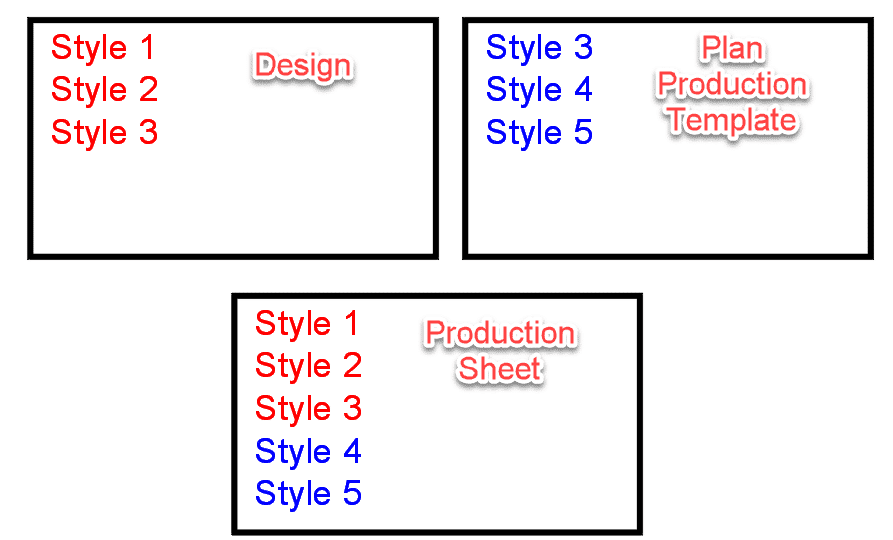
    Both the design file and the selected template can contain styles.  They could be the same styles, or they may be different.  When creating the new drawings, which of these two files does Civil 3D use as the template: the starting point?  Where do the styles and settings come from?

    The answer is both, sort of.  Here is what happens:

    1. Civil 3D uses the design file as the template.  All styles and settings come from this file.
    2. Any styles present in the production template are then duplicated into the new production sheet drawing.
    3. If there are any styles in the production template that are the same name as the design file, they are ignored.  The design file styles are maintained.

    Note that Style 3 is present in the Design and Template files.  In the Sheet file, Style 3 is the same as the Design file.

    Civil 3D: Pipes not Extending to Structures

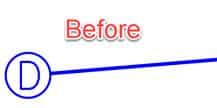
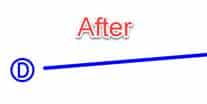
    Have you seen this before?  This is how Civil 3D’s pipes sometimes appear before and after the current annotation scale has been changed.  Not good.

    Read on to learn more…

    What is the cause?  This setting in the structure style.  You will find it in the Plan tab in the style editor.

    How to fix this?  There are several methods.

    • Never change the scale!  Easy to say, not so easy to implement.
    • Turn off that setting.  Problem is, you get this.

    • Swap each structure.  Choose the same structure.  What if there are 200 of them?  Too much time.

    • Grip-edit each structure and move them back onto their original positions.  Same problem as previous, too much time.
    • Add a wipeout to the block being used AND turn off that setting.  Our first real potential solution.  Some users report black blobs when printing to PDF when using wipeouts, however.
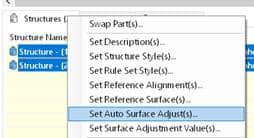
    • Use Project Explorer.  Select all the structures, right click, and choose the following option.  Then just click OK.  This kicks the structures in the butt and the pipes extend themselves properly.  Of course, next time the scale is changed, this must be redone but this only takes about 5 seconds.

    I prefer the wipeout option because it is permanent.  No other workarounds necessary.  If this is not an option for you, then the Project Explorer trick is likely the best option.

    Civil 3D: Alignment Creation – Free Entities

    Alignments are created in Civil 3D by selecting AutoCAD objects or by using specialized tools.  Sometimes selecting objects is appropriate, but when the alignment is required to be very flexible in terms of editability, utilizing those specialized tools can be critical.


    There are three types of Alignment segments present within those specialized tools: Fixed, Floating, and Free.  The use of these tools is not always obvious, so we have created 3 video which explains the use of them.


    The last of the three videos, Free Entities, can be viewed at this link or below.

    Civil 3D: Alignment Creation – Floating Entities

    Alignments are created in Civil 3D by selecting AutoCAD objects or by using specialized tools.  Sometimes selecting objects is appropriate, but when the alignment is required to be very flexible in terms of editability, utilizing those specialized tools can be critical.


    There are three types of Alignment segments present within those specialized tools: Fixed, Floating, and Free.  The use of these tools is not always obvious, so we have created 3 video which explains the use of them.


    The second of the three videos, Floating Entities, can be viewed at this link or below. Come back in a week or two for the next video.